Keep me in the Loop! 🤩
Our products come in 100% plastic free packaging!

♻️ How to Recycle Your Device: https://www.cuemill.com/products/weee


In 2 easy steps!
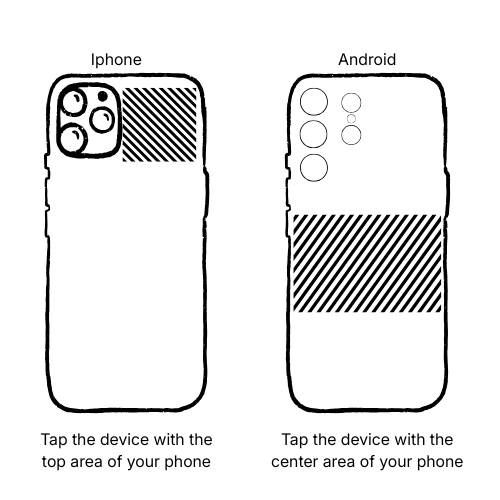
Tap device with phone until Pop up shows up (titled Loop NFC Tag). Click to move forward!
Note: No camera needed, your device connects instantly with a tap.
iPhone:
NFC Reader is near the back camera. Tap the same way you “tap to pay.”
Android:
NFC Reader on most Android phones is near rear center or slightly above the center.
.png)
.png)
Having trouble?
It may not work with metal phone case; you might need to remove it.