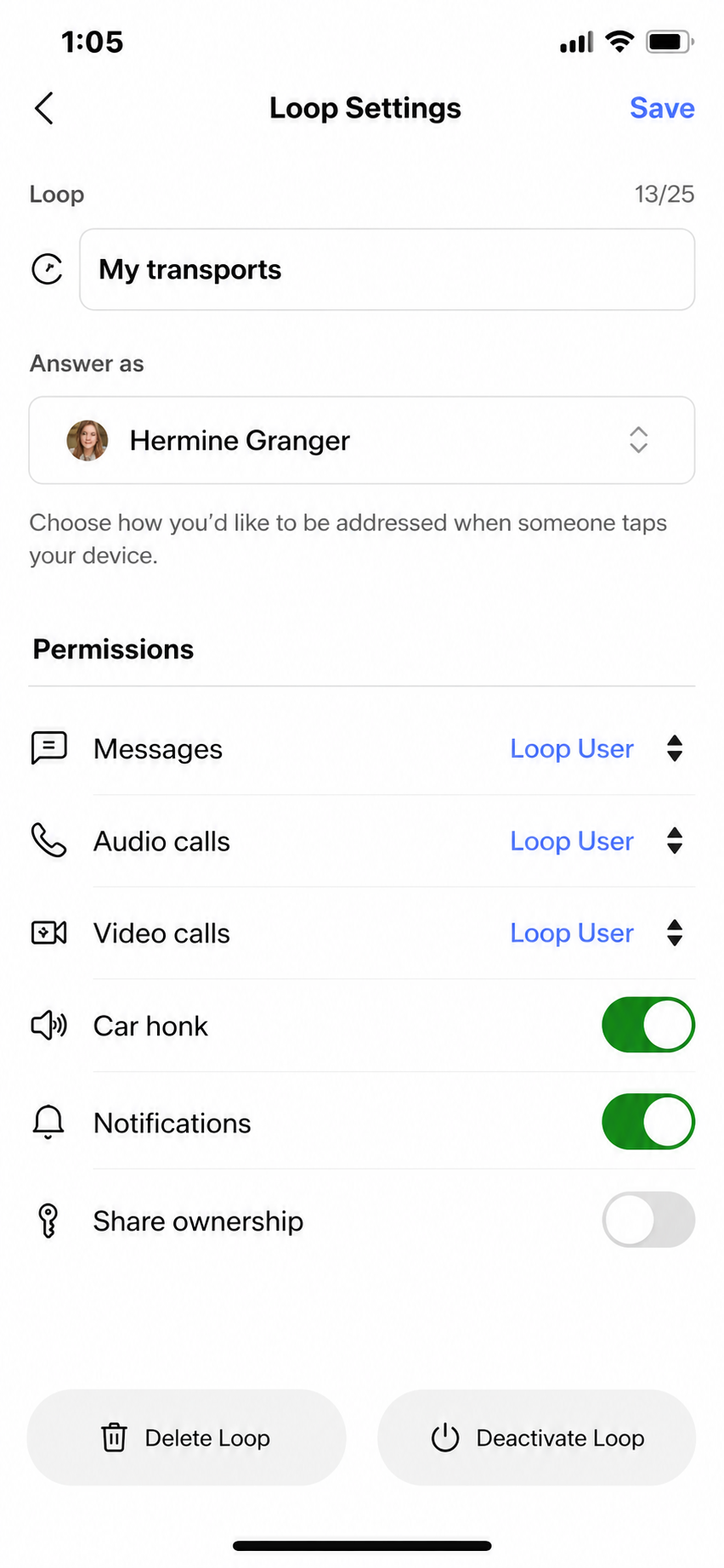
You can share your devices with your contacts, making them co-owners. All co-owners can receive communications through those devices, and each co-owner can control their notification and communication preferences independently.
Devices are shared at the Loop level. You can think of a Loop as a collection of (one or more) devices, allowing you to collect related devices and control their common attributes efficiently. For example, you might have a Car Tag on your car and another on your skateboard. You can collect them under one Loop, which you might name My transports. If you share the My transports Loop, all co-owners will be able to receive communications from both your car and your skateboard.
How to share a device?
To share the My transports Loop (and all devices associated with this Loop):
- From the Devices tab, click on the My transports Loop to view its settings.
- From the bottom of the Loop settings page, turn on the Share ownership option.
- Select the person or people you want to share the My transports Loop with by checking the boxes in front of their profiles and click Send Co-Owner Request.
- This will send them a Co-owner invitation.
- If they have push notifications enabled, they can click on the co-owner invite push notification and click Accept, otherwise they can navigate to the Notifications Center (from the Home tab click the bell icon in the top right) to find the co-owner invite and click Accept. You can add up to three co-owners for each Loop.
- Once they have accepted the co-owner invite, a copy of the My transports Loop (technically, a Shared Loop) will appear in their Devices tab from where they can control their notification and communication preferences independently.